

 Edit This Page
A Docker repository in Repsy Open Source stores images, and an image is made of tags, manifests and layers. This page explains how they relate, what deleting each of them does, why an image can be listed without tags, and which actions free disk space.
Images, Tags, Manifests and Layers
| Term | What it is |
|---|---|
| Image | A name in a repository, <image-name> in <your-repsy-host>/<repo-name>/<image-name>:<image-tag>. It exists as long as it stores at least one manifest. |
| Manifest | The description of one image: the digest of its config and the digests of its layers. A manifest can also be an index (a manifest list) that names the manifests of several platforms. |
| Tag | A name for a manifest, such as 1.0 or latest. A tag is only a pointer to a manifest, and it can move to another manifest. |
| Layer | A blob of image data. Layers belong to the repository, not to one manifest: every manifest that needs a layer uses the same stored blob. |
Manifests Are Content-Addressed
Repsy stores a manifest once per image and digest. The digest is calculated from the bytes of the manifest, so two manifests with the same bytes are the same manifest, and a manifest never changes. Repsy records both the sha256 and the sha512 digest of every manifest, and a client can reference the manifest by either: <image-name>@sha256:<hex> or <image-name>@sha512:<hex>. Repsy answers with the algorithm that the client used. Pushing a manifest by its digest stores the manifest and creates no tag, and a digest that is not the digest of the pushed bytes is refused with 400 (DIGEST_INVALID).
What this means for your tags:
- Pushing a tag again moves the pointer. When the repository allows overriding (Package Override is Allow, the default), pushing an existing tag with a different image moves the tag to the new manifest. The old manifest stays stored and can still be pulled by its digest. Pushing the manifest that a tag already points at changes nothing. When Package Override is Deny, Repsy refuses to move an existing tag with
403. - A second tag is another pointer. Tagging an existing image with another name adds a tag and stores no data twice. Deleting one of the tags does not affect the other.
- A digest is stable.
docker pull <your-repsy-host>/<repo-name>/<image-name>@<digest>returns exactly the image you tested, whatever happens to the tags afterwards, as long as nobody deletes that manifest.
Seeing the Tags of an Image
Repsy does not implement the tags/list call of the registry API, so clients such as crane ls cannot list tags. Use the web UI:
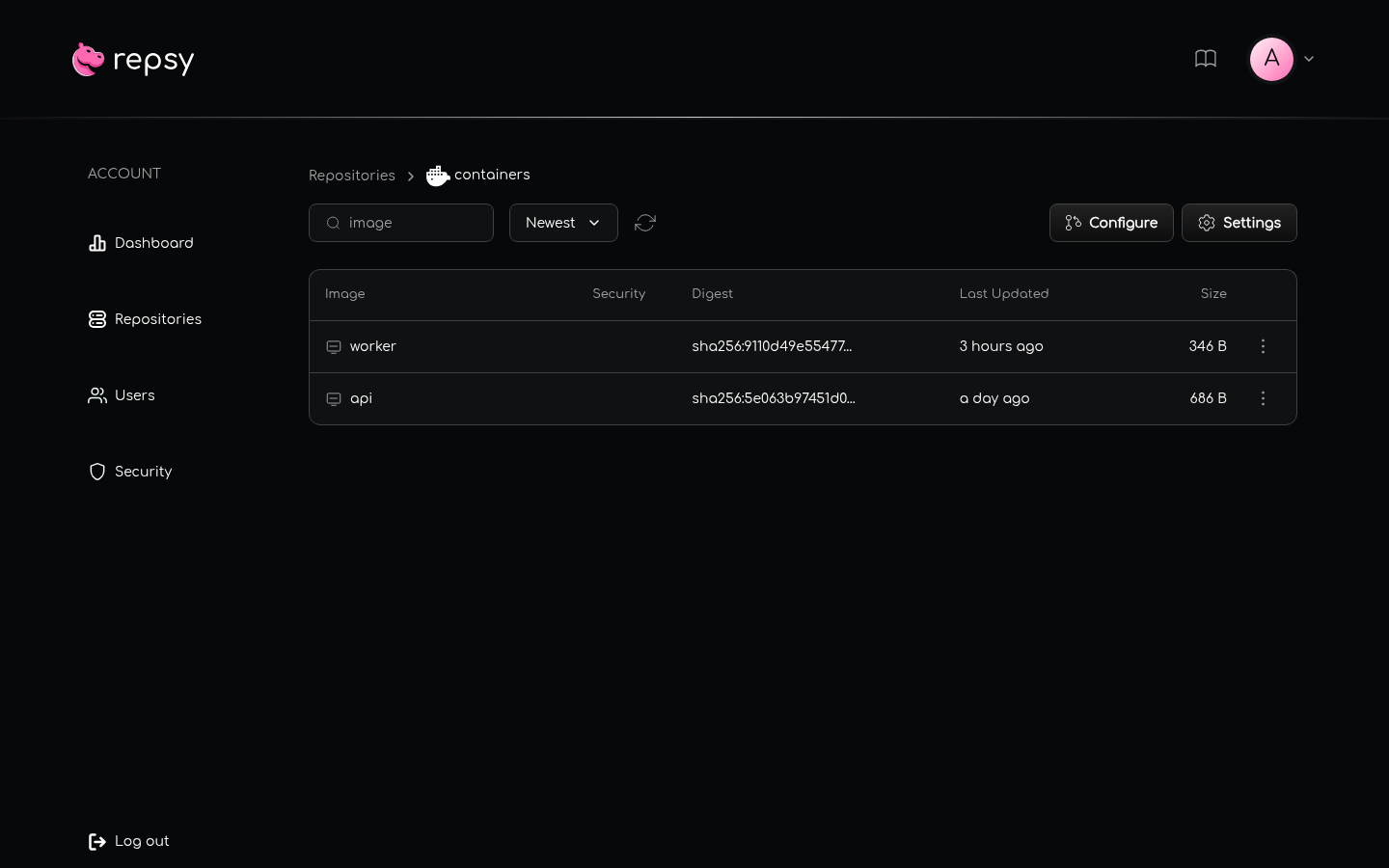
- Open the Repositories tab and open your Docker repository. Every row is an image.
- Open an image to see its tags, each with its platform and the time it was last updated. You can search the tags and sort them.
- Open a tag to see the manifests behind it (several for a multi-platform tag), and the tag detail to see the manifest, the config and the
docker pullcommand.
An Image Without Tags
Deleting the last tag of an image does not delete the image, because the manifest that the tag pointed at is still stored and can be pulled by its digest. The image stays in the list with a No tags label, the number of untagged manifests it still stores, and their size. Its page says that the image has no tags and offers Delete Untagged Manifests and Delete Image. The same happens to an image whose tags were all overridden or deleted, but whose older manifests are still there.
An image is removed automatically when its last manifest is deleted, and pushing to that name later creates it again.
What Deleting Does
Deleting needs the ADMIN role. Users with the USER role do not see the delete buttons.
| You delete | Where | What happens |
|---|---|---|
| A tag | The menu (⋮) of a tag in the tag list, or Delete Tag on the tag detail page | Only the pointer is removed. The manifest stays stored and can be pulled by its digest, and other tags of it are unaffected. If it was the last tag, the image is listed as No tags. |
| The untagged manifests of an image, or of the repository | Delete Untagged Manifests on an image page or in the repository settings | Every manifest that no tag points at, directly or through the index of a tag, is deleted with its file. It can no longer be pulled by its digest. Then the layers that no manifest uses any more are deleted. See Clean-up Actions. |
| An image | The menu (⋮) of an image in the image list, or Delete Image on a page of an image without tags | The image is removed with all its tags and manifests. Its layers are not deleted with it: those that no other image uses stay in the repository as orphan layers until a clean-up action deletes them. |
| A manifest by its digest | The registry API, see Deleting Through the Registry API | The manifest and every tag that points at it are removed. |
The web UI asks for a confirmation before it deletes anything. A deleted image or manifest can be pushed again.
Clean-up Actions
Nothing deletes a manifest or a layer automatically. Every override and every deleted tag leaves the previous manifest, and the layers that only it used, on disk and in the usage of the repository. A push that Repsy refused after the layers were uploaded leaves those layers behind, too. Two actions in the repository settings free the space:
- Untagged Manifests: Delete Untagged Manifests. Deletes every manifest that no tag points at, and then the layers that no manifest uses any more. The manifest files are only kilobytes; the layers are what frees the space. The manifest files are gone, and their size is given back to the repository, before the answer comes. The layers are deleted in the background and the usage drops as they go. When it is done the web UI shows how many manifests and layers were deleted and how much space was freed. On the page of an image, the button of the same name only deletes the untagged manifests of that image, but the clean-up of unused layers still covers the whole repository.
- Orphan Layers: Delete Orphan Layers. Deletes the layers that no manifest uses, for example after a refused push. It does not touch manifests, so it frees nothing that an untagged manifest still uses. Run Delete Untagged Manifests first: it runs this clean-up itself. Use Delete Orphan Layers for the layers that never belonged to a manifest.
Run the clean-up when nobody is pushing to the repository. A manifest that a client pushed by its digest and that no tag or index names yet counts as untagged, and a client that pushes a multi-platform image starts with the manifests of the platforms and only then pushes the index. That client would have to push the deleted manifests again.
Repsy also deletes uploads that were started and never finished, after 24 hours by default (ABANDONED_UPLOAD_TTL), see the Configuration Reference.
Deleting Through the Registry API
The registry API can delete a manifest, so a client that sends the standard DELETE /v2/<repo-name>/<image-name>/manifests/<reference> request works, for example crane delete, see Using crane and Other OCI Tools. It needs the ADMIN role, so use the username and password of an administrator. A deploy token is never allowed to delete, not even a Read/Write token, and an anonymous caller is refused, also for a public repository.
The request has to carry the bearer token that the token endpoint hands out, as the registry clients do it. A plain curl -X DELETE -u <admin>:<password> ... sends Basic credentials, and Repsy answers it with 401. The Docker CLI has no command that deletes a manifest.
- By digest (
sha256:orsha512:), Repsy deletes the manifest and every tag that points at it, so neither the digest nor those tags can be pulled afterwards. It answers202. The manifests that an index names are not deleted with it, because another index may name them too: they stay, untagged, until they are deleted by their own digest or by Delete Untagged Manifests. - By tag, Repsy deletes that tag only, like the web UI does. The manifest stays pullable by its digest. It answers
202. - A digest or a tag that the image does not have is answered with
404(MANIFEST_UNKNOWN), an unknown image with404(NAME_UNKNOWN), and a malformed digest or tag with400. - The layers of a deleted manifest are not deleted with it. Use the clean-up actions above.

